
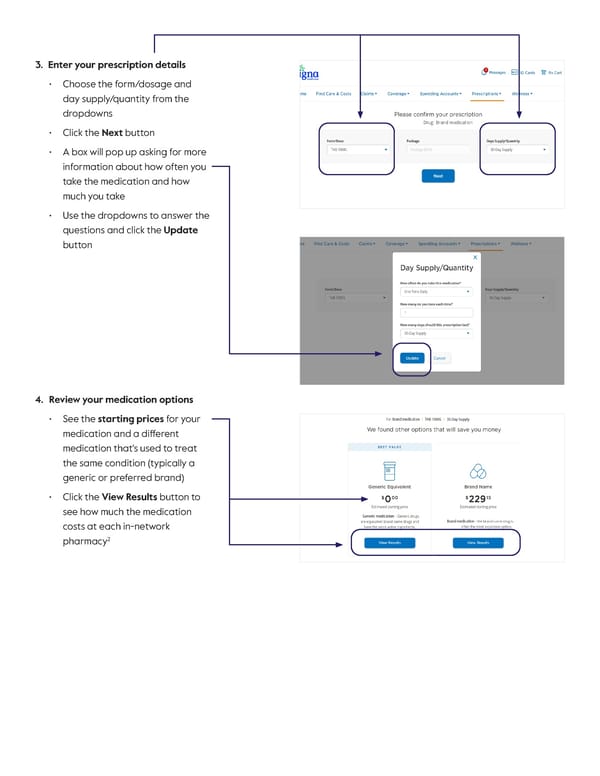
3. Enter your prescription details • Choose the form/dosage and day supply/quantity from the dropdowns • Click the Next button • A box will pop up asking for more information about how often you take the medication and how much you take • Use the dropdowns to answer the questions and click the Update button 4. Review your medication options • Se e the starting prices for your medication and a different medication that's used to treat the same condition (typically a generic or preferred brand) • Click the View Results button to see how much the medication costs at each in-network pharmacy 2
 How to Find the Best Price for Your Medications Using myCigna Page 1 Page 3